
Download CalcMadeEasy Free – Free Scientific Calculator for Windows, macOS & Linux
Overview of CalcMadeEasy Free
CalcMadeEasy Free is a lightweight, full‑featured scientific calculator that brings powerful mathematics to your desktop without any cost. Designed with students, engineers, and hobbyists in mind, the application delivers a clean, user‑friendly interface that lets you perform everything from basic arithmetic to complex trigonometric, logarithmic, and statistical calculations. Whether you are solving equations for a chemistry lab, plotting functions for a physics assignment, or simply checking a quick conversion, CalcMadeEasy Free offers the tools you need in a single, secure package. The app supports multiple view sizes, customizable themes, and a responsive layout that adapts to high‑resolution monitors, ensuring an optimal experience on any desktop setup. Because it’s free, there are no hidden subscriptions or advertisements, making it a trustworthy choice for anyone who needs a reliable scientific calculator on Windows, macOS, or Linux.
Key Features and Benefits
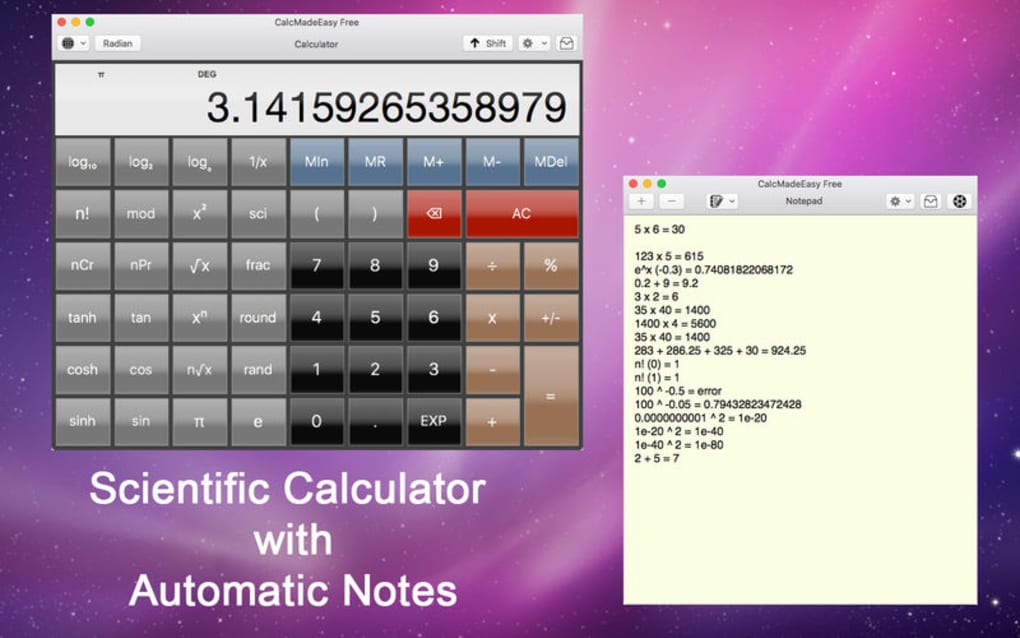
- Comprehensive scientific functions: sin, cos, tan, arcsin, log, ln, factorial, permutations, combinations, and more.
- Multi‑line expression editor with real‑time result preview.
- Unit conversion library covering length, mass, temperature, energy, and data units.
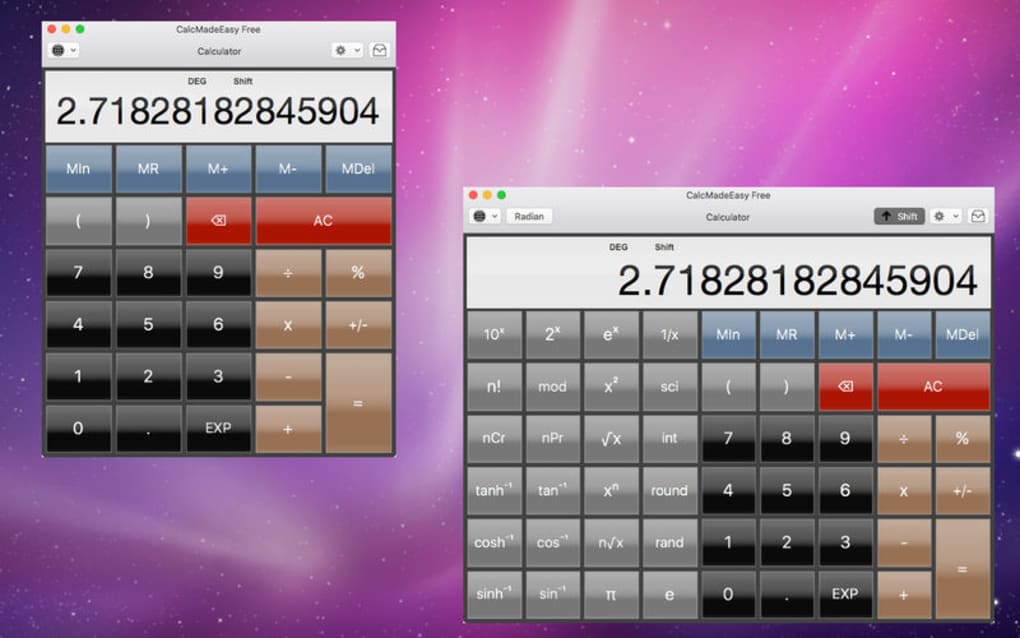
- Customizable keypad layouts and resizable windows for ergonomic use.
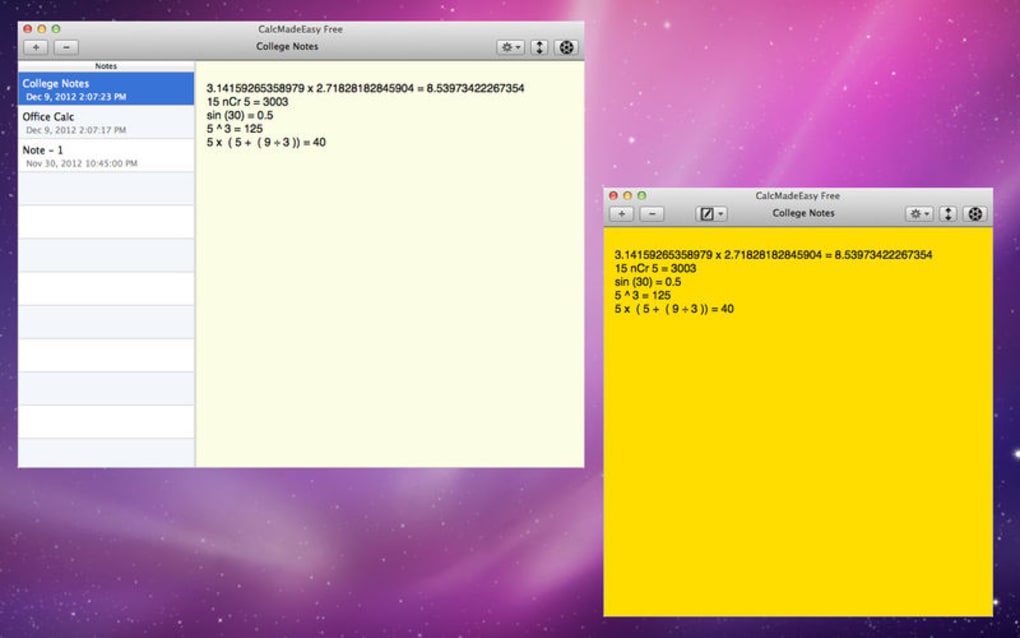
- History panel that records the last 100 calculations for quick reference.
- Dark and light themes to reduce eye strain during long sessions.
- Keyboard shortcuts for all major operations, boosting productivity.
- Export results to plain text or CSV for easy integration with spreadsheets.
- Regular free updates that add new functions and improve stability.
Why Choose CalcMadeEasy Free?
The feature set of CalcMadeEasy Free rivals many paid calculators, yet it remains completely free and open‑source. Its intuitive UI reduces the learning curve for newcomers while offering depth for power users. The built‑in history and export options streamline workflows, especially for engineers who need to document calculations. Because the software is lightweight (under 20 MB), it launches instantly and consumes minimal system resources, making it suitable for older hardware as well.
Pros & Cons
Pros
- Fully free with no ads or subscription fees.
- Extensive scientific function library.
- Cross‑platform support (Windows, macOS, Linux).
- Customizable interface and themes.
- Lightweight and fast startup.
- Regular updates and active community support.
Cons
- No built‑in graphing capabilities (requires external tool).
- Advanced statistical packages are limited.
- Occasional minor UI glitches on very high DPI displays.
- Lacks cloud sync for calculation history.
Installation, Usage Instructions, and Compatibility
Getting CalcMadeEasy Free up and running is straightforward. Follow the steps below for your operating system:
Windows
- Visit the official download page and click the Download for Windows button.
- Run the
.exeinstaller and follow the on‑screen prompts. The installer automatically adds a shortcut to the Start menu. - After installation, launch CalcMadeEasy Free from the Start menu or desktop shortcut.
macOS
- Click the Download for macOS link to obtain a
.dmgfile. - Open the
.dmgand drag the application icon into the Applications folder. - Launch the app from Launchpad or the Applications folder. macOS may ask you to confirm that you trust the developer; click “Open”.
Linux
For most distributions, a pre‑compiled .deb or .rpm package is available. Alternatively, you can install via Snap:
sudo snap install calcmadeeasy-freeAfter installation, run calc-made-easy from your terminal or find it in your application launcher.
Using the Calculator
Once opened, you’ll see a numeric keypad on the left and a scientific function panel on the right. Type an expression directly into the display area or use the on‑screen buttons. Press Enter or click the equals sign to see the result.
The history pane on the right logs each calculation, and you can click any entry to reuse it. For unit conversions, select the “Units” tab, choose the source and target units, and input the value to convert. Keyboard shortcuts such as Ctrl+H toggle the history, while Ctrl+T switches between light and dark themes.
Frequently Asked Questions & Final Thoughts
Is CalcMadeEasy Free truly free, or are there hidden costs?
CalcMadeEasy Free is 100 % free. There are no hidden subscription fees, in‑app purchases, or advertising. All features are available to every user after download.
Can I use CalcMadeEasy Free on a tablet or smartphone?
The current version is a desktop application for Windows, macOS, and Linux. Mobile versions are not yet released, but the developers have indicated plans for Android and iOS in future updates.
How often is the software updated?
Updates are released roughly every 2‑3 months, introducing new functions, bug fixes, and performance improvements. The app checks for updates automatically on startup.
Does CalcMadeEasy Free support custom function definitions?
Yes, users can define custom functions using the built‑in scripting panel. This feature is ideal for repetitive calculations or specialized formulas.
Is my data secure when I use CalcMadeEasy Free?
Since the application runs locally, no data is transmitted to external servers. Your calculation history stays on your device unless you choose to export it.
Conclusion – Should You Download CalcMadeEasy Free?
If you need a reliable, full‑featured scientific calculator without the expense of commercial software, CalcMadeEasy Free is an excellent choice. Its extensive function library, clean UI, and cross‑platform availability make it suitable for students, educators, engineers, and anyone who regularly performs scientific calculations. While it lacks built‑in graphing, the trade‑off of a free, ad‑free experience is more than reasonable. Downloading is quick, installation is painless, and the regular updates ensure you stay current with the latest mathematical tools. Give CalcMadeEasy Free a try today and simplify your number‑crunching tasks with a secure, free desktop calculator.
Ready to boost your productivity? Download CalcMadeEasy Free now and start calculating with confidence.







